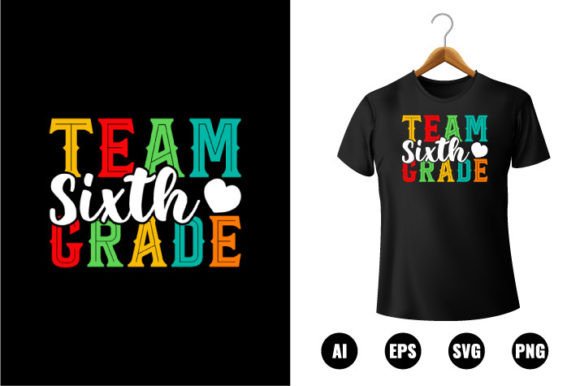
Team Sixth Grade T-shirt Design
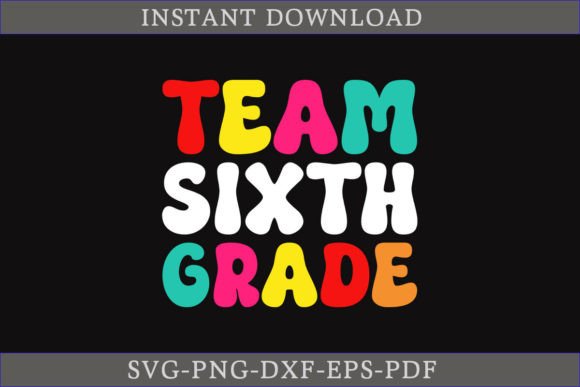
If you're gearing up for back-to-school season—whether you're a teacher planning classroom spirit week, a parent organizing a grade-wide event, or a small business owner creating custom apparel for local students—you’ll appreciate how practical and versatile the Team Sixth Grade T-shirt Design really is. This isn’t just another clipart download. It’s a thoughtfully built, ready-to-use digital design kit that supports real-world projects without demanding technical expertise.
What You’re Actually Getting (and Why It Matters)
The Team Sixth Grade T-shirt Design comes as a single, neatly packed ZIP file containing five essential formats: SVG, DXF, EPS, PNG, and PDF. That means whether you’re using Cricut Design Space, Silhouette Studio, Adobe Illustrator, or even basic print-and-cut workflows, you’re covered. No guesswork. No format conversions. Just open, customize, and go.
Each version is built from 100 clean vector shapes—so scaling up for a poster or down for a mug handle won’t blur or pixelate the design. And because it’s fully editable in vector-friendly software, changing colors takes seconds—not hours. Swap school colors, match team uniforms, or adapt it for a PTA fundraiser with just a few clicks.
Real Uses, Not Just Ideas
Think beyond t-shirts. This design shines where flexibility meets function:
- Classroom & School Events: Print on shirts for sixth-grade field trips, science fairs, or “Reading Buddies” programs with younger grades. Add student names or homeroom numbers directly in your editing software.
- Small Business Opportunities: Local screen printers, embroidery shops, or Etsy sellers can use the EPS or SVG files to produce high-quality, consistent items—no redrawing needed.
- Crafting & DIY Projects: Cut vinyl for water bottles, create iron-on transfers for backpacks, or layer the design onto tote bags using a Cricut Maker or Silhouette Cameo.
- Digital & Hybrid Learning: Teachers use the PNG version for Zoom backgrounds, Google Classroom banners, or printable certificates—keeping sixth graders engaged visually, even remotely.
Beginner-Friendly, But Built for Growth
You don’t need years of graphic design experience to get started. If you’ve ever changed text color in Canva or resized an image in Word, you already have the foundational skills. The SVG and PDF versions open in free tools like Inkscape or even modern web browsers. For cutting machine users, the DXF and SVG files import cleanly into Cricut and Silhouette software—no tracing, no cleanup, no frustration.
That said, it helps to know a few practical things before diving in:
- Unzip first. The files live inside a compressed ZIP folder—double-click to extract them before opening anything.
- Use vector files for editing. Stick with SVG, EPS, or AI files when adjusting colors, resizing, or rearranging elements. PNG works well for quick prints or digital displays but isn’t editable in the same way.
- Check your machine’s requirements. Some older Silhouette models prefer DXF; newer Cricut machines handle SVG natively. When in doubt, start with SVG—it’s widely supported and preserves layers and grouping.
- Test before bulk production. Print or cut one sample first—especially if adding text, layering vinyl, or using specialty materials like glitter heat transfer.
Why Educators and Creators Choose This Design
It bridges intention and execution. A teacher might want to foster unity among sixth graders transitioning from elementary to middle school—but doesn’t have time to hire a designer or learn Illustrator from scratch. This design gives them a polished, age-appropriate starting point they can personalize in under ten minutes.
For freelancers or side-hustlers, it’s a smart efficiency tool. Instead of building every sixth-grade-themed item from scratch, they reuse the core vector assets across multiple client projects—t-shirts, stickers, lesson plan headers—while still delivering unique, branded results.
And for parents? It turns “back-to-school shopping” into a creative moment. Imagine helping your child pick their favorite color combo, then wearing matching shirts on the first day. That shared visual identity builds excitement—and makes drop-off day a little more joyful.
A Few Practical Notes Before You Start
This isn’t a font or a template—it’s a complete, layered vector illustration. That means you can hide or delete individual elements (like stars or banners) or rearrange them freely. The “Back To School” wording is part of the design, not separate text, so editing it requires vector knowledge—but swapping its color or background? Easy.
Also worth noting: while the PNG version includes a transparent background (ideal for digital use), it’s raster-based—so avoid extreme resizing if you need crisp edges for large-format printing. For posters, banners, or wall decals, always choose SVG, EPS, or PDF.
Finally, this design respects common school branding needs. It avoids overly childish fonts or cartoonish themes, leaning instead into clean lines, confident typography, and inclusive energy—perfect for tweens stepping into more responsibility and independence.
More Than a Download—It’s a Starting Point
At its core, the Team Sixth Grade T-shirt Design saves time, reduces stress, and opens doors. Whether you're prepping for orientation week, launching a school spirit store, or supporting a friend’s PTA initiative, it delivers professional-grade quality without requiring professional-grade skills. It’s designed to grow with you—from first-time crafters learning their first cut settings to seasoned educators who value consistency across years of back-to-school seasons.
And because it’s built to work across media—fabric, paper, vinyl, digital screens—it stays useful long after the first bell rings.