Team Eighth Grade T-shirt Design: A Practical, Production-Ready Vector Asset for Educators and Small-Business Creators
Team Eighth Grade T-shirt Design is a purpose-built digital asset aimed at educators, school spirit coordinators, small apparel businesses, and DIY crafters who need reliable, scalable graphics for back-to-school merchandise. Unlike generic clipart or raster-based templates, this design delivers professional-grade vector files—SVG, DXF, EPS, PNG, and PDF—all bundled in a single zip archive. Its core value lies not in novelty, but in execution: clean geometry, consistent spacing, machine-ready paths, and thoughtful layering that supports real-world production workflows.
What You Actually Get—and Why File Format Variety Matters
The inclusion of SVG, DXF, EPS, PNG, and PDF isn’t just feature padding—it reflects practical compatibility needs across different tools and output methods. SVG works natively in web platforms and modern design apps like Figma or Affinity Designer. DXF and EPS are essential for Cricut Design Space, Silhouette Studio, and laser-cutting software where precise vector path interpretation matters. PNG (with transparent background) serves quick mockups or print-on-demand uploads where vector support isn’t available. PDF provides a universal preview and print-ready layout with embedded fonts and color profiles.
Each format retains the same underlying structure: one cohesive composition built from 100% vector shapes—not traced raster art or grouped bitmap elements. That means resizing introduces no pixelation, and scaling from a 2-inch sticker to a 16-inch poster remains technically sound. No re-rasterization, no quality loss, no guesswork about legibility at small sizes.
Design Integrity and Real-World Usability
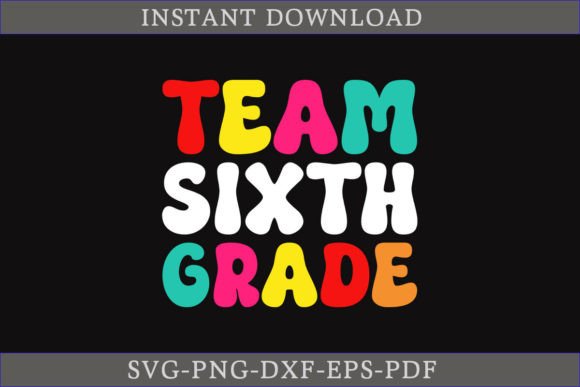
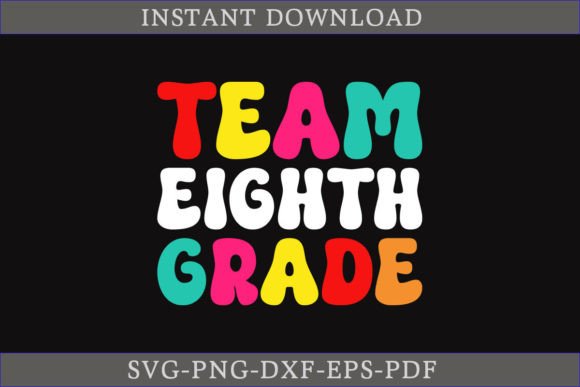
Visually, Team Eighth Grade T-shirt Design balances readability and personality. The typography is bold but not exaggerated, with sufficient letter spacing to prevent cutting errors on vinyl or heat transfer material. The “Team Eighth Grade” phrase is centered, horizontally balanced, and avoids tight kerning traps common in amateur text-based designs. There’s no unnecessary ornamentation—no gradients, shadows, or blended effects that complicate cutting or screen printing.
This restraint pays off during production. For example, when prepping for a Cricut Maker’s fine-point blade, the absence of overlapping paths or compound shapes reduces the risk of mis-cuts or nested layers requiring manual cleanup. Similarly, screen printers appreciate the clean vector outlines because they translate directly into film positives without needing trace adjustments or node simplification.
Editing Flexibility Without Compromising Stability
“Easy to change colors” is more than marketing language here—it’s built into the file architecture. Colors are applied as swatches or fill attributes, not embedded as fixed RGB/CMYK values locked inside grouped objects. In Adobe Illustrator or Inkscape, a user can select all text and graphic elements and apply a new Pantone or HEX value in one action. No need to ungroup five layers or hunt down stray anchor points.
That said, flexibility assumes basic familiarity with vector editing. Someone unfamiliar with layers, compound paths, or stroke-to-path conversion may find the EPS version less intuitive than SVG—but that’s not a flaw in the design; it’s a reflection of how professional vector formats behave. The included PDF documentation (though minimal) clarifies layer naming conventions and highlights editable zones, helping bridge that learning curve efficiently.
Who Benefits Most—and Where It Fits in Their Workflow
Educators organizing grade-level spirit days often lack time or budget for custom design work. With Team Eighth Grade T-shirt Design, a middle school science teacher can import the SVG into Canva, swap colors to match school branding, and generate a printable PDF for local screen printers—all in under 20 minutes. No designer consultation, no licensing fees, no revision rounds.
Small apparel entrepreneurs using Printful or Gelato benefit similarly. They can upload the EPS or SVG directly to their platform’s design tool, align it with product templates, and run soft-proof previews without worrying about resolution warnings or missing fonts. Because the file uses standard OpenType-compatible characters (not custom glyphs), text remains editable even after export—critical if they later want to localize versions (“Clase Octavo Grado”) or add student names.
Hobbyists using Silhouette Cameo or Cricut Explore Air 2 will find the DXF and SVG files load cleanly, with consistent stroke weights and closed paths. That translates to fewer “cut failed” alerts and less time troubleshooting registration marks or material feed issues—especially important when working with heat-transfer vinyl or iron-on patches.
Limitations Worth Noting—Not Dealbreakers, But Context
Team Eighth Grade T-shirt Design doesn’t include alternate layouts (e.g., arched text, side-panel placement, or mascot integrations). It’s a single-composition asset—not a design system. If your project requires multiple orientations or layered visual hierarchies (e.g., “Eighth Grade” stacked above “Class of 2025”), you’ll need to modify the base file manually or pair it with complementary assets.
Also, while the PNG includes transparency, it’s delivered at 300 DPI—not ultra-high-res for large-format printing beyond 24 inches. For banners or gym wall decals, users should scale the vector source instead of relying on the raster preview. This isn’t a shortcoming; it’s standard practice for vector-first assets.
Long-Term Value and Consistency Across Projects
Because the design is fully vector-based and built with industry-standard construction practices, it integrates cleanly into repeatable workflows. A PTA coordinator who uses this file for eighth-grade hoodies one year can reuse the same SVG for graduation yard signs the next—just by adjusting size, color, and substrate. That consistency reduces cognitive load and eliminates version drift between campaigns.
It also holds up under scrutiny: no hidden layers, no extraneous anchor points, no embedded images. When opened in Illustrator’s Outline Mode, the paths are clean and logical—meaning future edits stay predictable. That reliability becomes especially valuable when handing files off to vendors or collaborators who expect production-ready inputs.
A Final Note on Fit and Intention
Team Eighth Grade T-shirt Design won’t replace a full brand identity system. It’s not meant for national retail launches or complex animated web use. But for its intended scope—school spirit merchandise, classroom recognition items, small-batch apparel, or community event gear—it delivers exactly what experienced creators need: technical precision, format versatility, and zero friction between idea and output. If your goal is functional, reproducible, and professionally structured artwork—not trend-chasing aesthetics—this is a quietly effective tool worth keeping in your active resource library.